Contact us
Before you email
Check the FAQ below — it covers the most common questions we hear.
Frequently asked questions
No questions match your search. Email us at support@boxnearby.com and we'll help.
Printing shipping labels
How do I print a shipping label with a label printer?
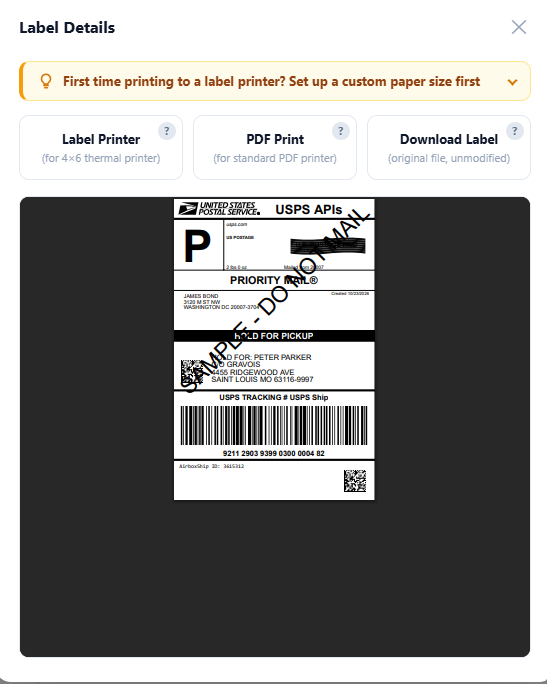
When downloading your shipping label, select the label printer format. Set the printer's paper size to match the label format and the label stock before printing. The standard 4 × 6-inch size is 101.6 × 152.4 mm; 100 × 150 mm is a similar, but not identical, size.
If the correct size is not listed, open the printer's Properties or Printing Preferences and look for a custom paper size option. In Windows, you may also be able to create a custom form under Control Panel → Devices and Printers → Print server properties → Forms.
For 4 × 6-inch stock, name the form "4x6 Label," set the width to 4 inches and the height to 6 inches, and use zero margins if supported by your printer. Save the form and select it when printing. An incorrect paper size can crop the label or cause an extra blank label to feed.
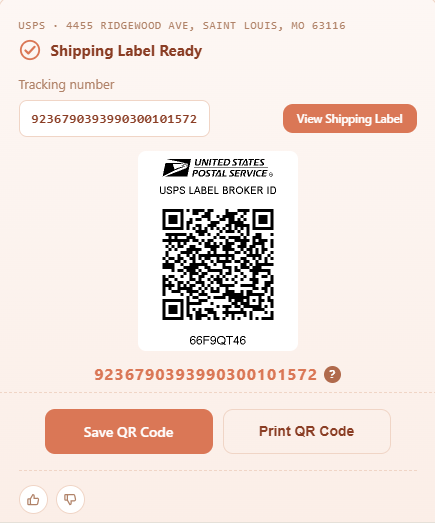
How do I use a USPS Label Broker QR code?
- Bring your QR code and a sealed, ready-to-ship package to a participating USPS Post Office.
- At the counter, show the QR code on your phone. A USPS associate will scan it and print your label.
- Or at a self-service kiosk that supports Label Broker, touch the screen and select the Scan QR Code for Label option, scan your QR code, and follow the instructions.
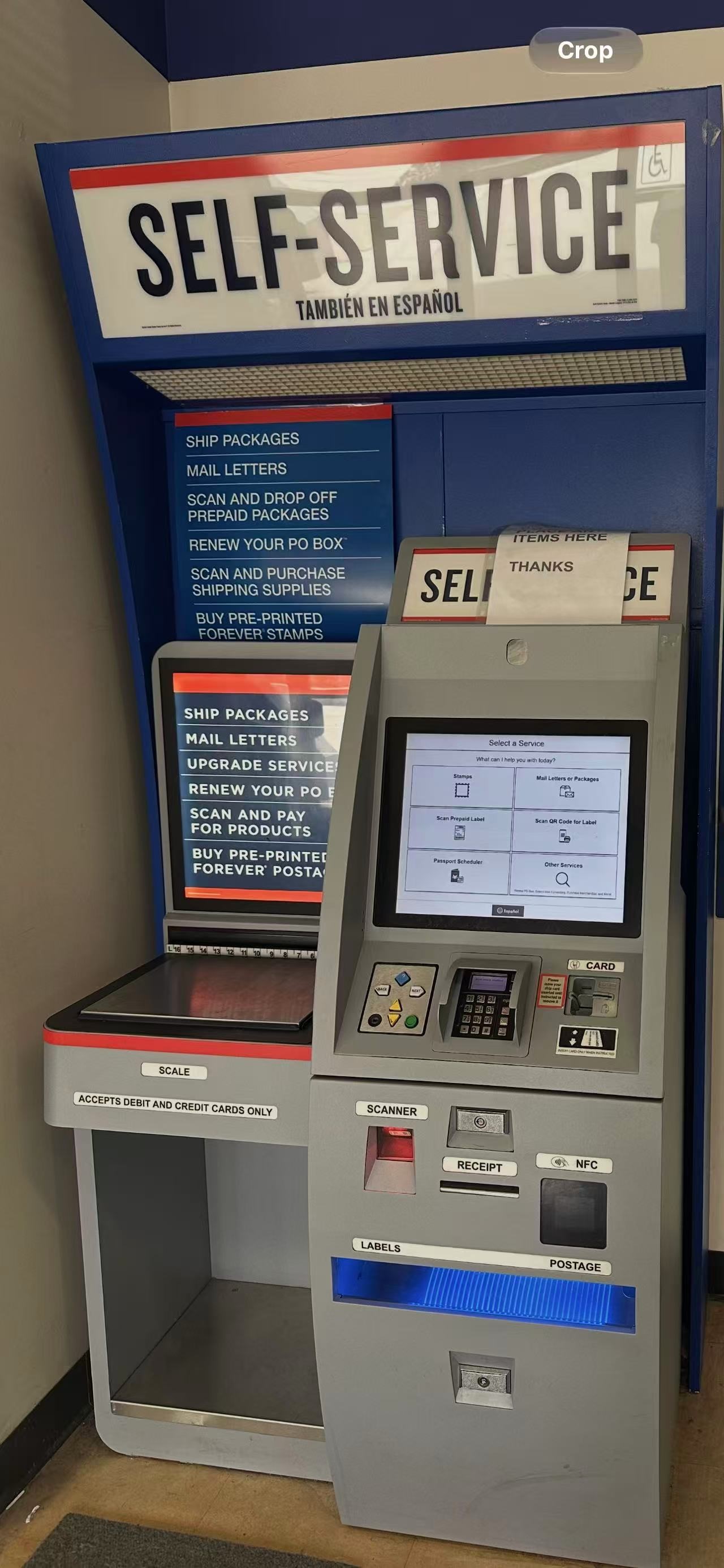
- Attach the label to your package before dropping it off. Label printing is free; postage must already be paid.
Shipping charges and carrier adjustments
What charges am I responsible for?
You are responsible for applicable service fees, shipping charges, taxes, and carrier adjustments or surcharges. These charges may be billed automatically to your designated payment method.
Are the displayed shipping rates final?
Displayed rates are estimates based on the information you provide. Final charges may change following carrier audits, package measurements, address validation, or applicable surcharges.
Why might I receive an additional charge after purchasing a label?
Carriers may assess additional charges based on your package's actual weight, dimensions, packaging, address corrections, or other applicable surcharges. BoxNearby may charge your payment method or deduct these amounts from your account balance.
How can I help avoid carrier adjustments?
Enter accurate package weight, dimensions, and address information when creating your shipment. Use packaging that complies with the selected carrier's requirements, and review applicable restrictions and surcharges.
How do I dispute a carrier adjustment?
Submit a written dispute to support@boxnearby.com within 30 calendar days after the adjustment is billed. Include supporting evidence, such as drop-off receipts showing the package's weight or dimensions, photos of package measurements, and a copy of the shipping label.
Does submitting a dispute guarantee a refund?
No. BoxNearby reviews your documentation and submits a dispute or appeal to the carrier on your behalf. The carrier decides whether to reverse the charge. Under our terms, adjustments that are not disputed within 30 calendar days are considered accepted and non-refundable.
Refunds and insurance
Can I request a refund for an unused shipping label?
Yes. You may request a refund for an unused shipping label within 48 hours of purchase. The platform fee is non-refundable. USPS, UPS, and FedEx shipments must not have been scanned by the carrier or included on a carrier scan form.
Where will my shipping label refund be sent?
Credit card payments are refunded to the same credit card and wallet payments to the wallet, less the non-refundable platform fee.
Eligible refunds typically require 15 to 20 days of processing.
Are other fees and purchases refundable?
Unless otherwise stated in writing, other fees and purchases are non-refundable. Eligible shipping label refunds are subject to the specific label refund conditions.
Can I purchase shipping insurance?
Not currently. We plan to offer shipping insurance in a future release.
Shipment requirements and support
What items are prohibited?
Our terms prohibit items including explosives, certain flammable or combustible materials, oxidizers, corrosives, compressed gases, poisons, irritants, controlled substances, illegal drug paraphernalia, certain magnetized materials, and dry ice. This list is not exhaustive. Review both BoxNearby's restrictions and the selected carrier's rules before shipping.
Who is responsible for complying with carrier rules?
You are responsible for ensuring that your shipment complies with applicable laws and the carrier's terms, packaging requirements, tariffs, and shipping restrictions. You are also responsible for resulting penalties, fees, or losses if your shipment violates those requirements.
What should I do if a package is delayed, lost, or damaged?
Contact support@boxnearby.com for assistance, and direct shipment issues to the designated carrier, such as USPS, UPS, or FedEx. Under our terms, BoxNearby does not accept liability for carrier performance or for packages that were not tendered to a carrier.
How will I receive pickup and delivery notifications?
We primarily send notifications by email, SMS/text message, and mobile app push notification. Your mobile carrier's standard messaging and data charges may apply.
Accounts and service terms
Can my account be suspended or terminated?
Yes. BoxNearby reserves the right to suspend, restrict, or terminate accounts or access to services. Shipping prohibited items, repeatedly providing inaccurate or fraudulent shipment data, or violating carrier rules may result in immediate suspension or permanent termination.
What happens to my account balance if my account is suspended?
BoxNearby may freeze or reserve funds to cover pending carrier adjustments, fines, chargebacks, or other outstanding obligations. Funds may be held for up to 180 days, or longer if required by a carrier audit or legal proceeding. Any remaining funds are released after outstanding liabilities are settled.
How do I close my account?
Contact support@boxnearby.com to request account closure. Closing your account does not remove your responsibility for outstanding charges, carrier adjustments, penalties, or other obligations.
Do third-party terms also apply?
Yes. If you use connected platforms or carriers, including Shopify, WooCommerce, BigCommerce, USPS, UPS, or FedEx, their respective terms, shipping rules, and privacy policies also apply.
Is uninterrupted service guaranteed?
No. Services are provided on an "as is" and "as available" basis. We do not guarantee uninterrupted or error-free service. Services may also be affected by events outside our reasonable control.
Can the terms or prices change?
Yes. BoxNearby may update its terms, change prices, introduce fees, or modify, suspend, or discontinue services. Continued use of the services signifies acceptance of the then-current terms.
Still need help?
Email us at support@boxnearby.com and we'll get back to you as soon as we can.
Back to shipping →